
Key takeaways
Key takeaways
- Centralizing your guest photos ensures high-resolution digital memories are not lost on social media.
- Laylaty provides a unified Memory Wall where attendees can easily upload their videos and pictures.
- Powerful moderation tools allow you to hide or delete inappropriate or blurry images before they appear publicly.
- Batch ZIP downloading makes it incredibly simple to save your entire gallery to your personal hard drive.
- Storage limits are strictly finite, but you can purchase additional space via top-ups without upgrading your entire plan.
Introduction to Post-Wedding Photo Management
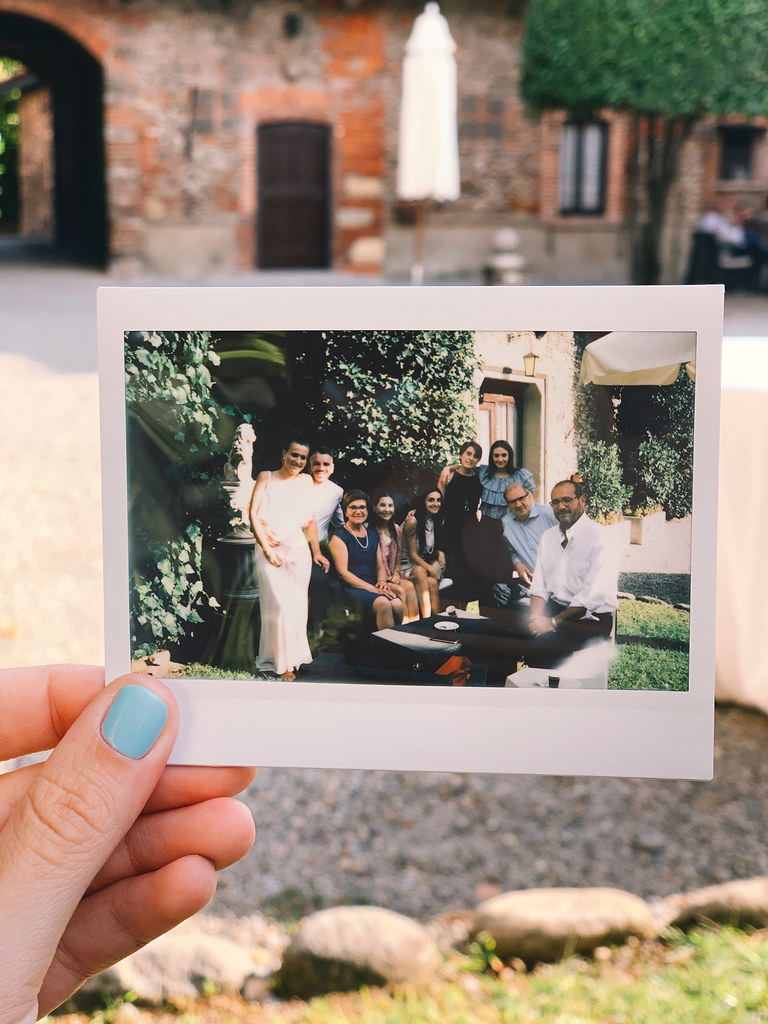
The day after your wedding is a time for relaxation and reflection. As you look back on the celebration, you will likely realize that while your professional photographer captured the major moments, your guests captured the candid, intimate, and often hilarious interactions that make the day truly special. The challenge many couples face is gathering these scattered digital memories into one cohesive collection.
Without a clear strategy, guest photos end up trapped in text messages, compressed on social media, or lost in email threads. Collecting these images efficiently allows you to preserve a complete narrative of your wedding day. In this comprehensive guide, we will walk you through the process of gathering, organizing, and preserving your guest photos using Laylaty, ensuring no memory is left behind.
Why Professional Photos Are Only Part of the Story
Professional photographers are essential for capturing formal portraits and key moments like the first dance. However, a professional cannot be everywhere at once. Your guests act as a secondary team of photographers, capturing the spontaneous moments that often define the atmosphere of your celebration.
Friends taking group pictures at table five, family members recording the speeches from a unique angle, or children playing on the dance floor are all precious memories. These guest perspectives provide a completely different, deeply personal view of your wedding. Bringing both professional and amateur photos together gives you the full story of your special day.
The Challenge of Collecting Digital Memories
In the age of smartphones, every guest is an amateur photographer. While this guarantees hundreds of candid shots, it also creates a logistical headache. When guests text you photos, the images are often compressed, losing their original quality. If they post them on social media, the platform algorithms further reduce the resolution, making them unsuitable for printing.
Additionally, tracking down photos from dozens of different people requires significant effort. You may find yourself sending multiple reminder texts or navigating complex file-sharing platforms that confuse older relatives. A centralized, user-friendly system is essential to collect these memories efficiently and in high resolution. The goal is to make it as easy as possible for everyone to contribute.
Using Laylaty to Create a Central Memory Wall
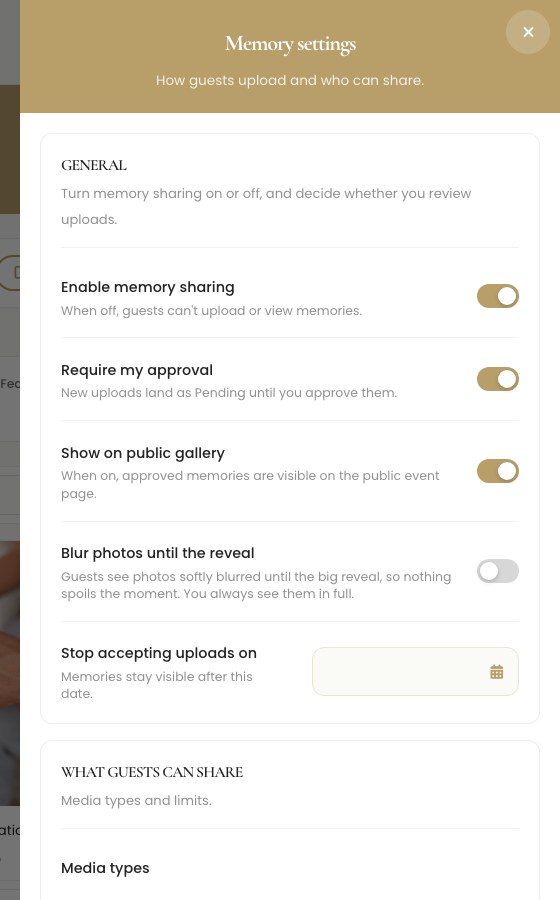
Laylaty simplifies the photo collection process by providing a central Memory Wall for all your event media. Instead of asking guests to download a new application or create an account, you can provide them with a direct link to your Laylaty event page. Here, they can upload their photos and videos directly from their devices.
This approach maintains the original resolution of the files, ensuring you have high-quality images ready for printing or compiling into a digital album. Furthermore, all uploads are organized within your event dashboard, making it easy to review and curate the collection later. It completely removes the technical hurdles that often prevent older guests from sharing their pictures.
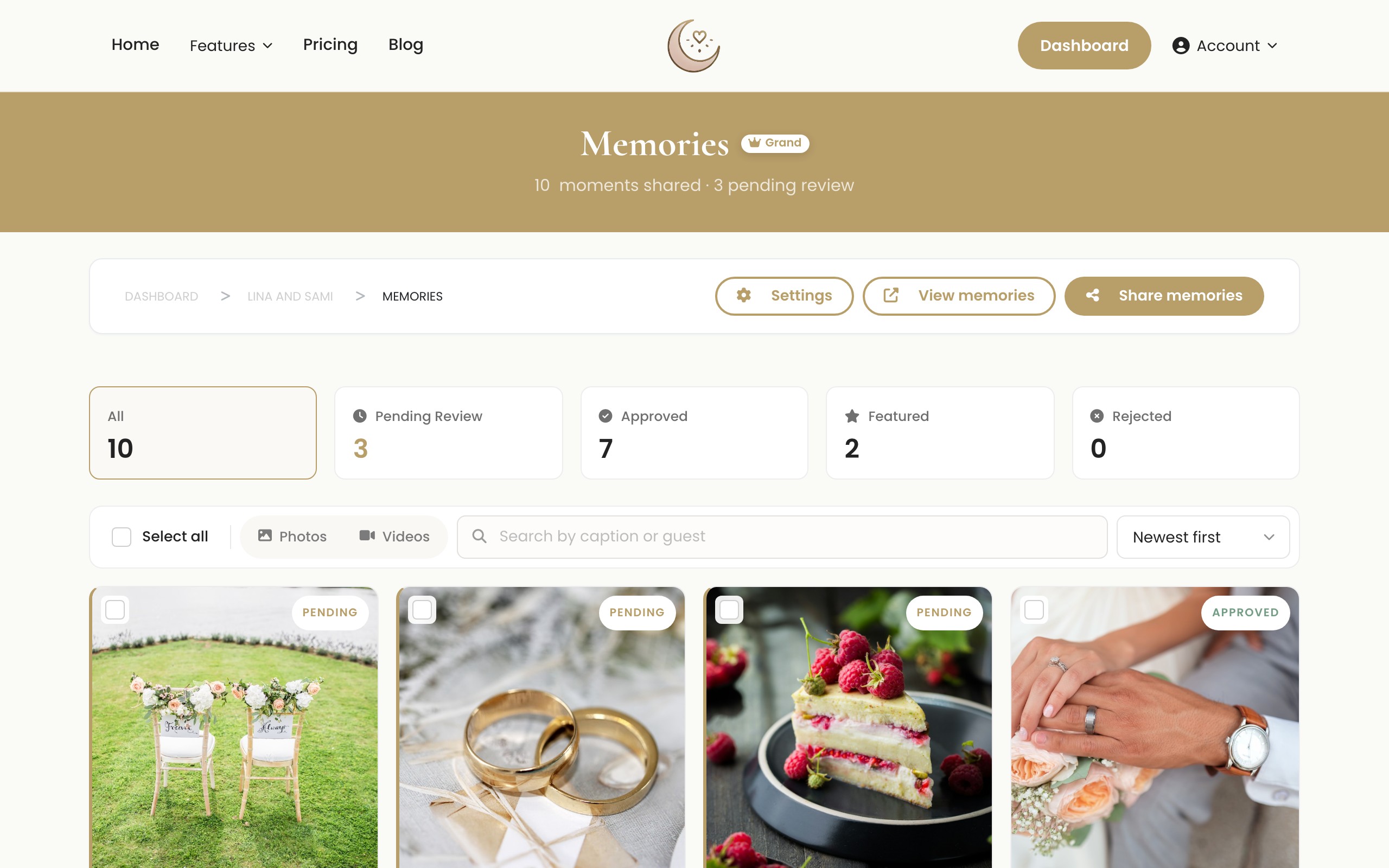
Memory Wall Moderation
You might worry about what happens if a guest uploads a blurry photo or an unflattering video. Laylaty includes robust moderation features for your Memory Wall. You have the ability to review incoming media and choose whether to publish it to the public wall, keep it hidden for your personal viewing, or delete it entirely. This ensures that the final gallery visible to your guests is perfectly curated.
Comparison: Centralized Gallery vs Social Media
| Feature | Laylaty Memory Wall | Social Media Hashtags |
|---|---|---|
| Image Resolution | High quality | Compressed and reduced |
| Privacy Control | Private to event guests | Often public |
| Moderation | Full control over visible images | Minimal control |
| Download Options | Batch ZIP downloading | Individual saving |
| Account Required | No account needed for guests | Platform account required |
Step-by-Step Walkthrough: Creating a Shared Gallery
Setting up a shared gallery for your guests is a simple process. Follow these steps to begin collecting your wedding memories.
- Log in to your Laylaty dashboard and open your wedding event.
- Navigate to the Website tab in the main menu.
- Ensure your event website is active, as this is where guests will navigate to upload files.
- Go to the Memory Wall section of your dashboard settings.
- Enable the Allow Guest Uploads feature.
- Customize the upload instructions to encourage guests to share their best candid shots in high resolution.
- Save your settings.
- Share the link to your event website via email, text, or a post-event thank-you message.
- Monitor the incoming files directly from your moderation dashboard.
Step-by-Step Walkthrough: Moderating Your Memory Wall
Keep your gallery looking its best by regularly moderating the uploads.
- Log in to your Laylaty dashboard and click on your event.
- Navigate to the Memory Wall section.
- View the pending uploads tab to see newly submitted photos and videos.
- Click on an image to preview it in full size.
- Choose to approve the image to display it on the public wall, hide it to keep it for yourself, or delete it permanently.
- Repeat this process as new memories are uploaded.
Managing Finite Storage Limits
As guests begin uploading photos and videos, you will need to monitor your digital storage space. Storage limits on Laylaty are strictly finite, meaning you cannot exceed your cap without taking action. High-resolution files can quickly consume your allocated limit.
The Free plan supports basic event setup. The Essential plan, at €19, provides 1 GB of storage alongside your custom website. The Celebration plan, at €49, increases your capacity to 5 GB, making it ideal for medium-sized weddings. For large events with extensive media, the Grand plan at €99 offers a generous 20 GB of storage.
If you find that your guests are particularly enthusiastic and you approach your limit, you do not need to change your entire plan. Laylaty provides storage top-up add-ons to give you exactly what you need. You can purchase an extra 10 GB for €12, or an extra 25 GB for €25. This flexibility ensures you never have to delete a precious memory to make room for another.
Preserving Your Media: Batch ZIP Downloading
Digital files are convenient, but they are also vulnerable if left entirely online. We strongly recommend implementing a robust backup strategy for your curated photo collection.
Laylaty makes this easy with our batch ZIP downloading feature. Instead of saving images one by one, you can select the entire gallery and download it as a single compressed ZIP file. Start by downloading this ZIP file from your Laylaty dashboard to your local computer. Once downloaded, extract the files and copy the folder to an external hard drive. For ultimate security, upload the folder to an independent cloud storage service as well. This multiple-location approach guarantees your memories are safe for decades to come.
Creating Physical Albums
Digital galleries are excellent for sharing, but physical albums provide a tangible connection to your memories. Use the high-resolution photos downloaded from Laylaty to create a custom photo book. Many online services allow you to upload your files and design a layout that tells the story of your wedding in chronological order.
A physical album becomes a family heirloom, offering a permanent, accessible way to look back on your celebration without needing a screen or a password. You can even create smaller, duplicate albums to give as gifts to your parents or bridal party.
FAQ
Will guests need to create an account to upload photos?
No. Guests can upload their photos directly through your public event website link without creating an account or downloading an application.
What happens if I exceed my storage limit?
Because storage limits are finite, guests will be unable to upload new files if you reach your capacity. You can free up space by deleting unwanted photos, or you can purchase a storage top-up add-on to instantly increase your limit.
Does Laylaty compress the photos upon upload?
Laylaty retains the high-resolution quality of the original files, ensuring they are suitable for printing and archiving.
Can I remove photos that I do not want in the gallery?
Yes, as the event organizer, you have full control over the gallery through the moderation tools. You can hide or delete any uploaded files directly from your dashboard.
How do I download all the photos at once?
You can use the batch ZIP downloading feature in your dashboard to save your entire curated collection to your computer in one click.
What Next
1. Set Up Your Memory Wall Log in to your free Laylaty dashboard and enable guest uploads for your event.
2. Upgrade for More Storage Expect a lot of videos? Upgrade to the Celebration plan to secure 5 GB of storage for all those high-resolution files.
3. Buy a Storage Top-Up If you have maxed out your current plan's limits, simply purchase a 10 GB or 25 GB top-up from your billing page and keep the memories flowing.