

Key takeaways
Key takeaways
- Public registration is available on the Essential plan and above, allowing attendees to self-register.
- Private invitations provide absolute control over the guest list, perfect for exclusive gatherings.
- Access codes and host approval add layers of security to public registration forms.
- Guest limits apply universally, but flexible top-ups allow you to add 50 or 100 extra guests at any time.
- Choosing the right approach depends heavily on the nature of your event and your desired level of administrative control.
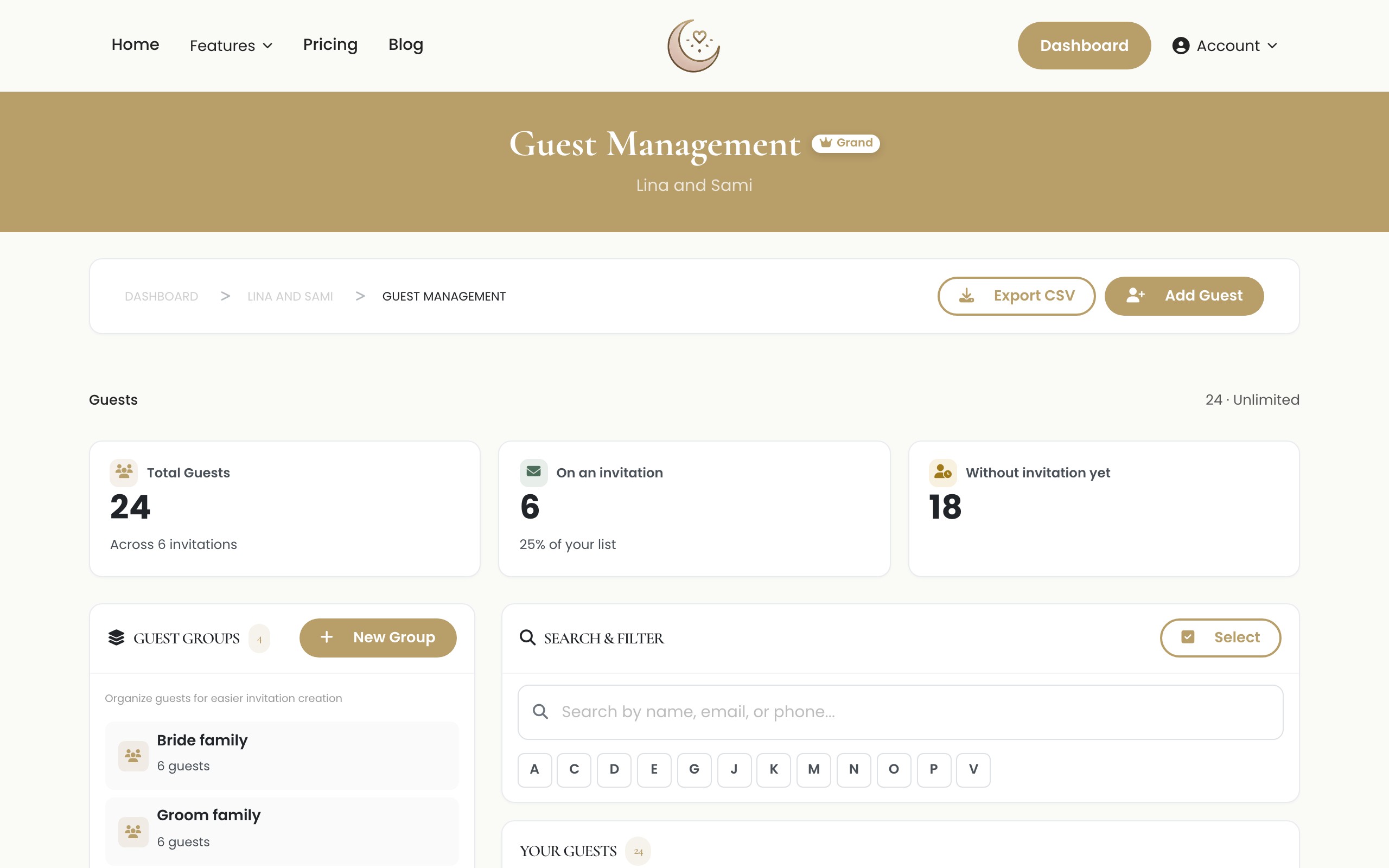
Introduction to Guest Management
Planning an event requires precise coordination. One of the most important decisions you will make is how to manage your guest list. The method you choose dictates how people confirm their attendance, how you collect their information, and how much control you maintain over the final headcount. Laylaty offers two primary approaches for this process: public guest registration and private invitations. Each method has distinct advantages and is built to serve different types of events.
Choosing the right approach ensures your attendees have a positive experience from the moment they hear about your event. It also saves you hours of administrative work. In this comprehensive guide, we explore the differences between these two options, examine their benefits, and help you decide which one aligns with your event goals. We also provide step-by-step instructions on how to configure both settings in your Laylaty dashboard.
The Evolution of Event Planning
Before diving into the specifics of registration types, it is helpful to understand how event management has evolved. In the past, organizers relied on paper invitations, phone calls, and manual spreadsheets to track RSVPs. This process was prone to human error, lost mail, and endless miscommunication.
Today, platforms like Laylaty centralize the entire process. By moving your guest management online, you gain real-time visibility into your attendee list. You can instantly see who has confirmed, who has declined, and who has yet to respond. This immediate feedback allows you to make informed decisions about catering, seating, and venue arrangements well in advance of the actual event date. The core of this digital transformation is the method by which you invite people, which brings us to the choice between public and private registration.
What is Public Guest Registration?
Public guest registration allows individuals to submit their details and RSVP via a link on your event website. You do not need to upload a pre-approved guest list beforehand. Instead, you share a public link on social media, via email newsletters, or through printed flyers. Interested individuals visit the page, fill out the required information, and are added to your guest list.
Please note that public registration is a premium feature available on the Essential plan and above. It is highly scalable and removes the friction of managing individual invitations.
Security Layers: Access Codes and Host Approval
While public registration sounds completely open, Laylaty provides essential security features to maintain order. You can require an access code, meaning only those who know the password can view the registration form. Additionally, you can enable host approval. With this enabled, self-registered guests are placed in a pending state until you explicitly approve them, ensuring unwanted guests do not automatically secure a spot.
Pros of Public Registration
The main advantage of public registration is its simplicity for the organizer. You do not spend time collecting email addresses or formatting spreadsheets before launching your event. You simply create the event page and distribute the link.
Another benefit is reach. If you are hosting a community gathering, a charity fundraiser, or a large open event, public registration encourages attendees to share the link with their own networks. This organic promotion can significantly increase your turnout.
Cons of Public Registration
The primary drawback is a lack of strict control over exactly who registers if you choose not to use host approval or access codes. If your event has a strict capacity limit, you must monitor the registrations closely.
What are Private Invitations?
Private invitations restrict RSVPs to a pre-approved list of guests. As the organizer, you upload your guest list to Laylaty, and the system sends unique, secure invitations to those individuals. Only people who receive these specific invitations can access the RSVP form and confirm their attendance.
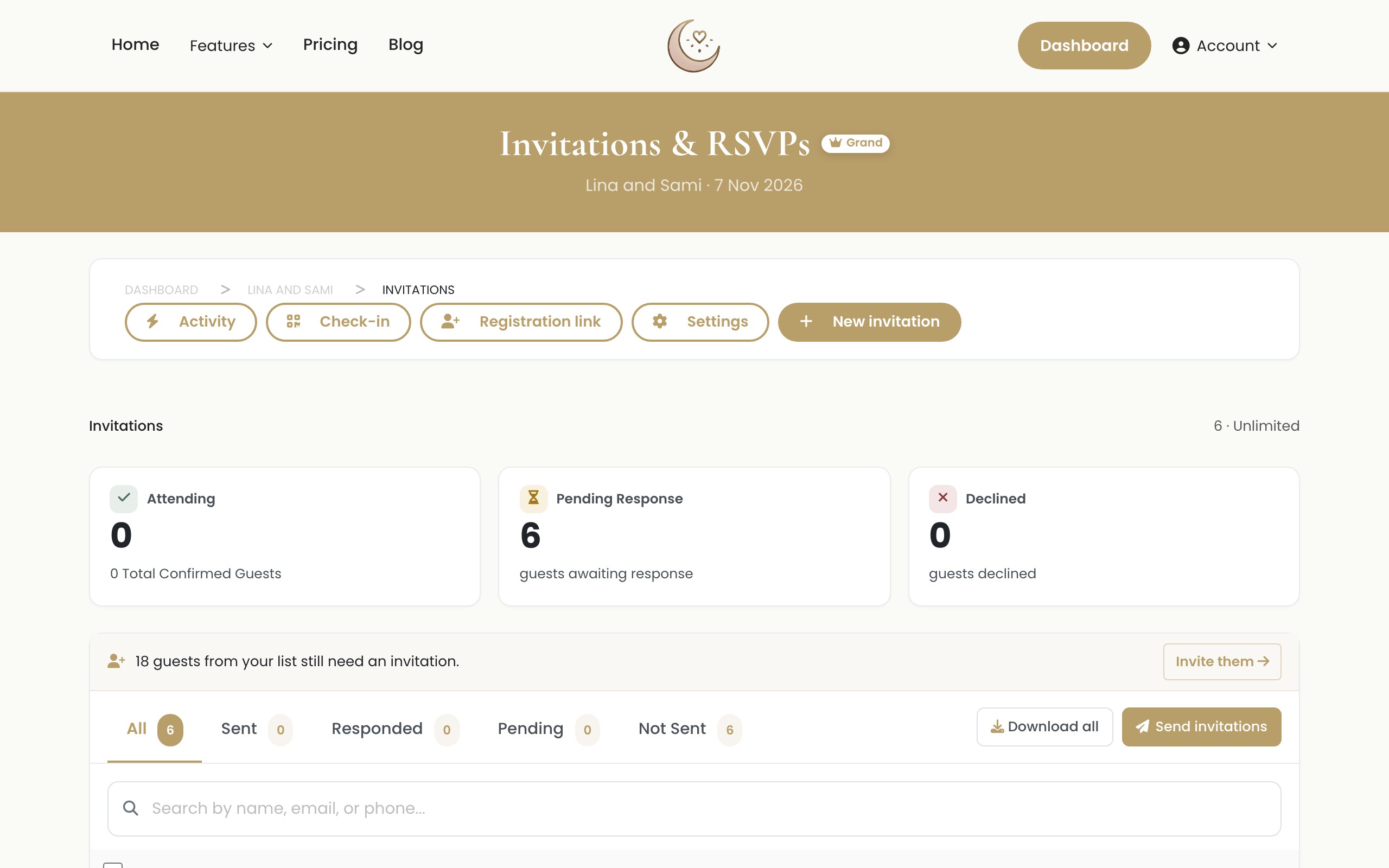
This method provides absolute control over your guest list and is the standard choice for intimate or exclusive events where security and privacy are paramount.
Pros of Private Invitations
Security and control are the biggest advantages of private invitations. You know exactly who is invited, and you can prevent uninvited individuals from registering. This is crucial for events like weddings, exclusive corporate retreats, or private dinners.
Private invitations also allow for a highly personalized experience. Because you already know who the guest is, the RSVP form can be tailored to ask specific questions, such as dietary requirements or plus-one preferences, without asking for information you already have.
Cons of Private Invitations
The main disadvantage is the upfront administrative work. You must compile a complete list of names and contact details before you can send the invitations. Gathering this information can be time-consuming, especially for larger events.
Comparison Table: Public vs Private
| Feature | Public Registration | Private Invitations |
|---|---|---|
| Availability | Essential plan and above | All plans |
| Pre-loaded Guest List | Not required | Required |
| Security Controls | Access Codes, Host Approval | Unique secure links |
| Best For | Large parties, community events | Weddings, private dinners |
| Setup Time | Fast | Slower (requires data entry) |
Step-by-Step Walkthrough: Setting Up Public Registration
Setting up public registration in Laylaty is a straightforward process. Follow these steps to start accepting RSVPs.
- Log in to your Laylaty dashboard and ensure you are on the Essential plan or higher.
- Select your event and navigate to the Settings tab in the left-hand menu.
- Click on Guest Management.
- Locate the Registration Mode section and select Public Registration.
- Choose your security settings: enable an Access Code if desired, and toggle Host Approval on or off.
- Customize your registration form by adding fields for dietary requirements, contact information, or custom questions.
- Save your changes.
- Copy your public event link and share it across your preferred channels.
- Monitor your incoming registrations regularly and approve pending guests if required.
Step-by-Step Walkthrough: Setting Up Private Invitations
If you decide private invitations are right for your event, here is how to configure them properly.
- Log in to your Laylaty dashboard and select your event.
- Navigate to the Guests tab.
- Click on Add Guests to begin building your list. You can add guests manually or import a spreadsheet.
- Once your list is populated, go to the Settings tab and click Guest Management.
- Under Registration Mode, select Private Invitations.
- Customize your RSVP form. Focus on specific questions like meal choices.
- Navigate to the Communications tab to draft your invitation email.
- Select the guests you wish to invite and click Send Invitations. Each guest will receive a unique, secure link to RSVP.
- Track the open rates and RSVP statuses from your main dashboard.
Managing Guest Limits and Plans
Whether you choose public registration or private invitations, managing your guest count is vital. Laylaty offers several plans to accommodate different event sizes.
The Free plan supports up to 40 guests. If your guest list grows, the Essential plan at €19 includes a custom website and 1 GB of storage. The Celebration plan at €49 offers 5 GB of storage, and the Grand plan at €99 provides a finite 20 GB of storage limit. Note that storage limits are strict.
If you are on a specific plan and need to accommodate more people or media, Laylaty offers flexible top-up add-ons. You can purchase an extra 50 guests for €9, or an extra 100 guests for €15. If your storage reaches its limit, you can buy an extra 10 GB for €12, or an extra 25 GB for €25. For longer-term preservation, the Keep Memories add-on is available for €12, and if you want assistance drafting messages, the AI Card is €9.
Troubleshooting Common Registration Issues
Even with the best preparation, you might encounter minor issues during the registration phase. Here are a few troubleshooting tips.
If you are using public registration and notice spam entries, you should enable Host Approval immediately. You can manually delete unwanted registrations from your Guest list and temporarily close registration until you implement further verification steps.
If you are using private invitations and a guest reports they did not receive their link, ask them to check their spam or promotions folder. You can easily resend their specific invitation directly from the Communications tab in your dashboard.
FAQ
Can I switch from public registration to private invitations later?
Yes, you can change your registration mode in the Settings tab at any time. However, changing from public to private will restrict access for anyone who has not already RSVPed.
Do top-up add-ons apply to both registration methods?
Yes, guest top-up add-ons increase your total guest capacity, regardless of whether those guests register publicly or via private invitation.
How do I stop public registrations once I reach capacity?
Laylaty automatically closes the registration form once your pre-set maximum capacity is reached. You can also manually close registration at any time from your dashboard.
Is guest data secure with public registration?
Yes. All data collected through public registration is stored securely within your Laylaty account and is only accessible to you as the event organizer.
Can I ask different questions based on the ticket type?
Currently, the registration form applies globally to all registrants. You can include optional fields if certain questions only apply to specific guests.
What Next
1. Create a Free Event Start building your guest list today by creating a free Laylaty event. It takes less than two minutes.
2. Upgrade to the Essential Plan Ready to unlock public registration and custom website features? Upgrade to the Essential plan from your dashboard.
3. Purchase a Guest Top-Up If you have finalized your registration mode and need room for just a few more attendees, purchase a guest top-up and expand your capacity instantly.